How Much Does an Ecommerce Website Cost in 2026: Real Prices, Platform Comparison, and Hidden Fees
You want to sell online. The first question that hits you: how much does an ecommerce website cost? You search for answers and find numbers ranging from $100 to $250,000. That range is about as helpful as saying a car costs "between $500 and $500,000."
This guide gives you the real numbers. I break down ecommerce website costs by tier, compare the major platforms with verified 2026 pricing, and spotlight the hidden expenses that most guides gloss over. I write this as an independent freelance developer who builds professional websites for small businesses — no platform subscription to sell, no agency overhead to justify.
By the end, you'll know exactly what to expect from a quote, which costs are non-negotiable, and how to avoid the budget traps that turn a smart investment into a money pit.
The short answer: ecommerce website cost in 2026
Here's a quick reference based on the current market and my experience building online stores for small businesses:
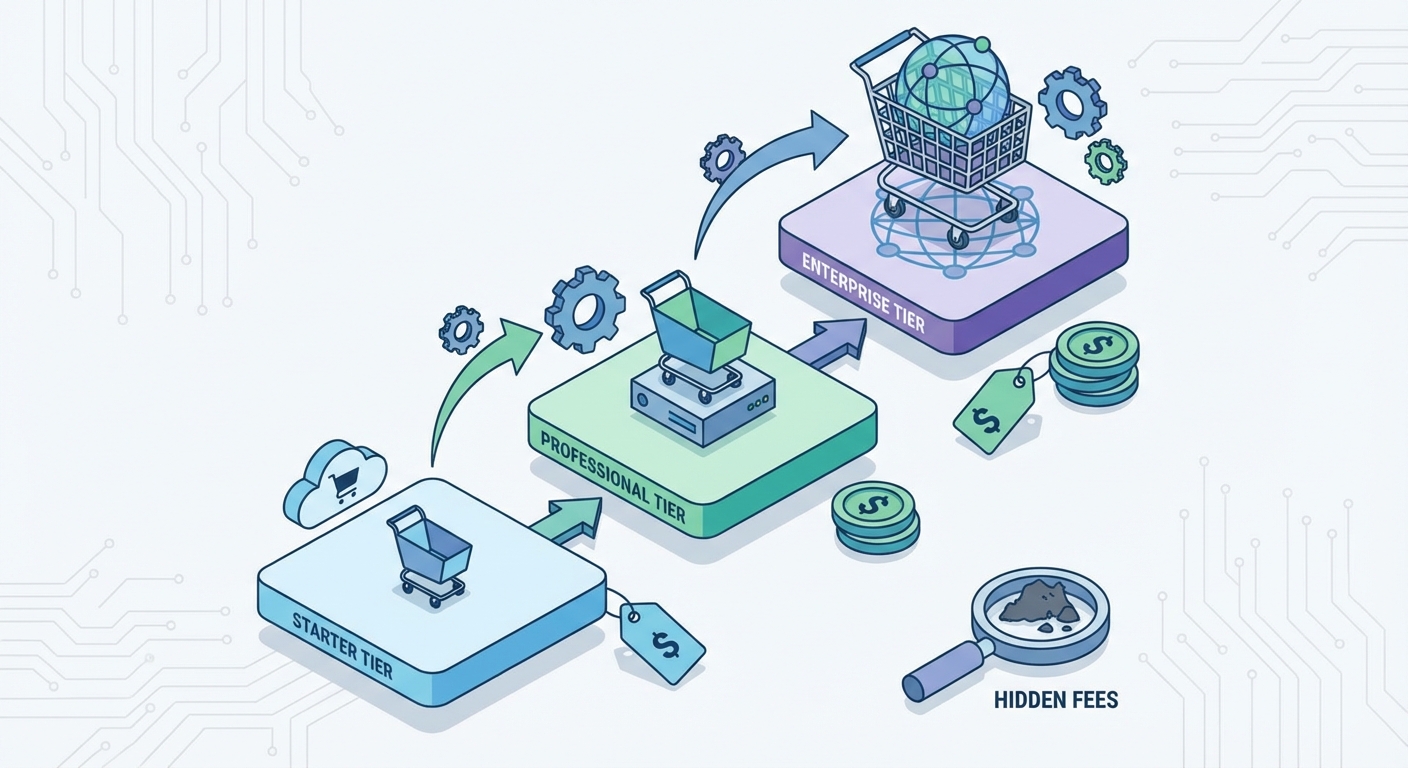
Starter ecommerce (up to 100 products, SaaS platform or basic WooCommerce): $2,000–$5,000
Professional ecommerce (medium catalog, custom design, integrations with business systems): $5,000–$20,000
Enterprise ecommerce (large catalog, custom development, multi-language, complex logistics): $20,000 and up
On top of these one-time costs, expect annual recurring expenses of $1,000–$6,000+ for hosting, maintenance, platform fees, and marketing.
These ranges are wide because every project is different. A handmade jewelry shop with 25 products has nothing in common with a B2B supplier managing 10,000 SKUs and warehouse synchronization. To understand where you fall, you need to know what drives the price.
For a broader view of how much a website costs in general — including showcase sites, blogs, and landing pages — check my main pricing guide.
What determines the cost of an ecommerce website
Five factors account for most of the price variation. Understanding them puts you in control of any conversation with a developer or agency.
Platform choice
Your ecommerce platform is the engine of your online store. There are two main categories:
Hosted platforms (SaaS): Shopify, Wix, Squarespace, BigCommerce. You pay a monthly subscription that includes hosting, security, and updates. You get up and running fast but trade away some customization flexibility. Costs climb as you add apps and extensions.
Self-hosted platforms (open source): WooCommerce on WordPress, PrestaShop, Magento. The core software is free (or nearly so), but you pay for hosting, themes, plugins, and — in most cases — a developer to set everything up. You get more control but take on more responsibility.
In my experience, WooCommerce delivers the best value for small businesses that plan to grow. Shopify is excellent if speed-to-market matters more than customization, but its transaction fees and app costs accumulate over time.
Design and user experience
Your store's design is not about aesthetics — it's about conversion. A slow site with a confusing checkout loses customers at every step.
Options range from customized templates (affordable, professional when done right) to fully custom design (more expensive, built around your brand and your customers' behavior). The price difference between the two can be $3,000–$8,000.
Critical point: design must prioritize mobile. Most online shopping now happens on phones. A site that works beautifully on desktop but feels clunky on a phone costs you revenue every single day.
Catalog size and complexity
A catalog with 30 simple products (one photo, one price, one description) costs far less to configure than one with 2,000 items, size and color variants, advanced filters, and automatic imports from an inventory system.
More products mean more time for initial setup, more attention to category structure, and more server resources to handle the load.
Features and integrations
Every feature beyond the basics adds development time (or subscription cost). Common add-ons include:
Multiple payment gateways (Stripe, PayPal, Apple Pay)
Dynamic shipping rate calculators with multiple carriers
Inventory management and warehouse sync
CRM or ERP integration
B2B area with custom pricing tiers
Multi-language and multi-currency support
Marketing automation (abandoned cart recovery, upselling, discount codes)
Each integration can add $200 to $3,000+ to the project cost. My advice: start with the features you genuinely need on day one and add the rest as your store grows and generates revenue.
Content creation
Product photography, copywriting, and catalog data entry are often excluded from development quotes. If you don't have professional product images and descriptions ready, budget $500–$3,000 for this work — it directly impacts how well your products sell.
Real price tiers: from starter to enterprise
Let me walk you through each tier with specifics on what you get for the money.
Starter ecommerce ($2,000–$5,000)
This tier is for entrepreneurs testing online sales. Think: a maker with 30 products, a small cosmetics brand, or a brick-and-mortar shop adding an online channel.
Typically includes: SaaS platform (Shopify Basic) or WooCommerce setup, customized premium template, product upload (up to 50–100 items), payment processing via Stripe and PayPal, flat-rate shipping, basic SEO setup, and training for self-management.
Usually excludes: Custom design, inventory system integration, complex product variants, and post-launch marketing strategy.
This tier works well for validating a product-market fit before committing larger budgets.
A word of caution: "starter" doesn't mean "throwaway." Even at this price point, the foundation should be solid — clean URL structure, proper meta tags, mobile responsiveness, and a smooth checkout flow. If these basics are missing, you'll spend more fixing them later than building them right the first time.
In my experience, the biggest mistake at this tier is treating it as a permanent solution. A starter store is a testing ground. If it works, plan to reinvest in a professional upgrade within 6–12 months.
Professional ecommerce ($5,000–$20,000)
This is where online stores become serious revenue channels. It's the right tier for established small businesses and growing brands that want ecommerce to be a primary sales channel.
Typically includes: Custom UX/UI design, catalog with 100–2,000+ products and variants, multiple payment gateways, dynamic shipping rates, basic ERP integration, comprehensive on-page SEO, advanced training and post-launch support.
At this level, your quote should include a strategic analysis phase before development begins: who is your customer, how do they search, what do they expect, who are your online competitors? Without this step, you risk building a beautiful store that nobody visits.
For guidance on evaluating quotes, read my website quote guide.
Enterprise ecommerce ($20,000+)
Complex projects with advanced requirements: catalogs with thousands of products, ERP/CRM integrations, multi-store architectures, multi-language and multi-currency support, and performance optimization for high traffic volumes.
Typically includes: Custom development on enterprise platforms (Magento/Adobe Commerce, headless commerce solutions), scalable architecture with dedicated servers, complex system integrations, advanced logistics with multiple warehouses, A/B testing and conversion optimization, and dedicated support.
For projects at this scale, a single freelancer isn't enough — you need a team. My advice: compare at least three vendors and evaluate not just price, but their ability to support you over time.
Platform comparison: Shopify, WooCommerce, Wix, and Squarespace
One of the most common questions I get: "Which platform should I use?" There's no single answer, but the numbers help.
Subscription costs (updated March 2026, monthly billing — save 25% with annual plans):
Platform | Entry ecommerce plan | Mid-tier plan | Advanced plan |
|---|---|---|---|
Shopify | Basic: $39/mo | Grow: $105/mo | Advanced: $399/mo |
Wix | Core: $29/mo | Business: $39/mo | Business Elite: $159/mo |
Squarespace | Basic: $16/mo* | Plus: $39/mo | Advanced: $99/mo |
WooCommerce | Free plugin | Free plugin | Free plugin |
Note: Squarespace Basic includes ecommerce with a 2% transaction fee; a Core plan ($23/mo) sits between Basic and Plus with 0% transaction fees on physical products. Wix and Squarespace prices with annual billing. Shopify prices shown are monthly billing — save 25% with annual plans.
But the monthly fee is only part of the story. For a realistic comparison, you also need to consider:
Transaction fees:
Shopify Payments: 2.4%–2.9% + $0.30 per transaction (varies by plan)
Wix: 2.9% + $0.30 per transaction
Squarespace: 2.5%–2.9% + $0.30 (varies by plan; Basic plan adds a 2% Squarespace fee on sales)
WooCommerce with Stripe: 2.9% + $0.30 per transaction (US standard rate)
Estimated real annual cost (example: 500 orders/year, $60 average order):
With 500 orders and $30,000 in revenue, transaction fees alone amount to roughly $600–$900 on Shopify and approximately $500 with Stripe on WooCommerce. That difference partially offsets WooCommerce's higher initial development cost.
My take: WooCommerce gives you maximum control and flexibility as you grow. Shopify gets you live faster with less technical effort but costs more month-over-month. Wix and Squarespace work for small catalogs and non-technical founders who want simplicity over customization.
Wondering if you should go DIY or hire a pro? My guide on the difference between a free and a professional website breaks this down.
Let me go beyond the numbers and share what each platform actually feels like in practice.
Shopify: the all-in-one ecosystem. Shopify's strength is that you don't have to worry about anything technical. Hosting, security, SSL, updates — all bundled in. Start with a free or premium theme ($0–$420), add your products, and you're live. The friction appears when you want something the system doesn't do out of the box. Need a custom field on your product page? There's an app for that. Want advanced marketing automation on the Basic plan? App. The average Shopify store runs 3–6 paid apps at $10–$50/month each. Over a year, that adds $360–$3,600 to your costs. Something most pricing guides quietly omit.
WooCommerce: total freedom, total responsibility. WooCommerce is a free plugin for WordPress, the world's most-used CMS. This gives you access to thousands of themes and plugins, a massive community, and zero platform lock-in. The flip side: you need reliable hosting (budget at least $100–$200/year for quality hosting), you're responsible for security updates, and you'll deal with occasional plugin conflicts. For a non-technical owner, unmanaged WooCommerce is a minefield. For someone with a trusted developer (or willingness to learn), it's the most flexible platform with the lowest recurring costs.
Wix and Squarespace: simplicity first. Both platforms have added ecommerce features in recent years. Wix offers more design flexibility; Squarespace delivers more polished templates. But for serious ecommerce — hundreds of products, complex integrations, advanced SEO — both show their limits. They work well for small catalogs (under 50 products) and for owners who want a beautiful site without technical complexity.
My recommendation based on real projects: If you're launching a small store and want to be live in days, Shopify Basic is hard to beat. If you plan to grow, need deep customization, and want to keep recurring costs low, WooCommerce with quality hosting is my default recommendation. Wix and Squarespace make sense for very small catalogs or when ecommerce is a secondary feature of the site.
Hidden costs that most quotes don't mention
Here's where many business owners get blindsided. The quote says $3,000, but six months later total spending is double. Knowing these costs upfront saves you from ugly surprises.
Hosting, domain, and SSL
Domain name (.com, .co.uk, etc.): $10–$30/year
Shared hosting: $60–$150/year (for small stores)
VPS/dedicated hosting: $200–$1,200/year (for stores with substantial traffic)
SSL certificate: Included with most hosting providers and SaaS platforms
If you use Shopify or Wix, hosting and SSL are bundled in your subscription. With WooCommerce, you pay separately but have more control over hosting quality.
Payment processing fees
Every sale has a cost. Your payment gateway (Stripe, PayPal, Shopify Payments) takes a percentage of each transaction — typically 2.4%–2.9% plus a fixed fee per transaction.
On $50,000/year in revenue, payment processing fees can reach $1,000–$1,500. This is a cost many founders forget to factor in.
Maintenance, updates, and security
An ecommerce site is not a "build it and forget it" project. Security patches, backups, performance monitoring, and bug fixes require ongoing attention.
For a full breakdown of website maintenance costs, see my dedicated guide.
Realistic estimate: $100–$300/month for a basic maintenance package. If you handle everything yourself, the cost is measured in time — and risk.
Here's what I consider the minimum viable maintenance package:
Monthly platform, theme, and plugin updates
Daily automated backups with restore capability
Uptime and speed monitoring
Security scanning and malware removal
Minor changes (up to 2 hours/month of work)
Without regular maintenance, a WooCommerce store with outdated plugins becomes vulnerable within months. And a hacked ecommerce site doesn't just lose sales — it loses customer data, with serious legal implications (GDPR in Europe, various state laws in the US).
On the SaaS side, Shopify and Squarespace handle most maintenance automatically. But you're still responsible for keeping your apps updated, monitoring performance, and ensuring your content stays fresh and functional.
Marketing: the fuel your store needs
An ecommerce store without traffic is a shop on a dead-end street. Digital marketing is the most important recurring cost, and the one most often underestimated.
SEO (search engine positioning): Initial setup $500–$2,000, then $200–$500/month for ongoing content and optimization
Google Ads: Variable budget, typically $300/month minimum for a small store
Social media advertising: Variable by channel
Email marketing: Free (Mailchimp free tier) to $50–$200/month
My advice: budget at least 10–15% of your projected first-year revenue for marketing. Without qualified traffic, even the most polished store generates zero sales.
DIY, freelancer, or agency: choosing the right path
Each option has clear trade-offs. Here's an honest comparison:
DIY with a SaaS platform (Shopify, Wix):
Cost: $500–$2,000 (including first year of subscription + optional template)
Pros: Fast launch, low upfront cost, learn as you go
Cons: Often "amateur" results, customization limits, risk of spending hours on technical issues a professional would solve in minutes
Best for: Testing a product idea on a tight budget
Freelance developer:
Cost: $2,000–$10,000 (depending on complexity)
Pros: Direct relationship, lower cost than agencies, flexibility
Cons: One person can't cover every skill (development, design, copy, SEO), potentially longer timelines
Best for: Small businesses wanting professional results without the overhead of an agency structure
Full-service agency:
Cost: $5,000–$50,000+ (depending on scope)
Pros: Multidisciplinary team, established processes, service continuity
Cons: Higher costs (you pay for the structure, not just the work), sometimes slower communication, risk of cookie-cutter approach
Best for: Businesses with adequate budgets and complex projects
There's no universally "wrong" choice — there's the right choice for your situation. If you run a local business and want to understand the specific costs involved, my guide on website costs for local businesses gives tailored numbers.
How to decide which path is right for you:
Ask yourself three questions. First: how technical are you? If you've never managed a website before, a SaaS platform (DIY route) or a freelancer who provides training are your best options. Second: how complex is your product catalog? If you're selling 10 simple products, DIY works. If you have 500 products with size and color variants, you need a professional. Third: how important is the online channel to your total revenue? If ecommerce will represent more than 30% of your income, invest accordingly — this is infrastructure, not a side project.
One more thing: whoever builds your site should also be available for the first 2–3 months after launch. The post-launch period always reveals issues — a payment gateway that doesn't work with certain cards, a shipping calculation that's off, a product page that confuses customers. Having your developer on call during this period is worth every penny.
How to calculate your ecommerce ROI
An ecommerce website is an investment, not an expense. But how do you know if the investment makes sense for your business?
Simple break-even formula:
Total first-year investment ÷ Net margin per order = Number of orders to break even
Concrete example:
Initial investment: $5,000 (development) + $2,000 (year-one marketing) + $1,200 (recurring costs) = $8,200
Average order value: $80
Net margin per order (after product cost, shipping, processing fees): $25
Orders needed to break even: 8,200 ÷ 25 = 328 orders in year one, or roughly 27 orders per month
Is that realistic? It depends on your niche, products, and ability to drive traffic. But having this number in mind helps you make better decisions.
According to data from Statista, global ecommerce revenue reached approximately $6.8 trillion in 2025, with projected annual growth of 7.8% through 2029 (Statista). The trend is unmistakable: online retail continues to grow. The question isn't "should I invest" — it's "how do I invest wisely."
A common mistake is expecting sales from day one. A freshly launched store is invisible — Google needs to index it, customers need to discover it, trust builds over time. The realistic timeline for achieving steady sales is 3–12 months. Your business plan should include a financial buffer to cover operating costs before revenue reaches sustainable levels.
Another calculation worth doing: customer acquisition cost (CAC). If you spend $1,000/month on Google Ads and acquire 40 new customers, your CAC is $25. If your net margin per order is $30 and the average customer makes 2 purchases per year, the first-year customer value is $60. In this scenario, the marketing investment pays off. But if your margins are thinner or repeat purchase rates are near zero, the numbers don't work. Run these calculations before committing budget.
The most common (and most expensive) ecommerce mistakes
After working with small businesses on their online stores, these are the errors I see repeated most often:
Underestimating marketing costs. Many owners pour their entire budget into building the site and leave nothing for driving traffic to it. An ecommerce store without marketing is like a gorgeous shop at the end of a dead-end street — nobody shows up.
Choosing the wrong platform. I've seen businesses start with Wix because "it's easy," only to discover six months later that they can't integrate their inventory system, manage product variants the way they need, or implement proper SEO. Migrating to another platform costs both time and money — often more than doing it right the first time.
Cutting corners on product photography. Product photography heavily influences online purchase decisions. Phone photos on a kitchen table might work on Etsy, but on your own branded store they signal "don't trust this." Investing $500–$1,500 in professional product photography is one of the highest-ROI expenses in ecommerce.
Ignoring site speed. Every additional second of load time reduces your conversion rate. Budget hosting at $3/month might save on the annual bill but costs thousands in lost sales. Spend $100–$200/year on quality hosting and aim for a load time under 3 seconds.
Neglecting the post-purchase experience. Order confirmation emails, shipment tracking, return handling, customer support. All of this needs planning and has a cost (in time or tools). A customer who has a bad post-purchase experience doesn't come back — and writes a negative review that drives away potential buyers.
Not planning for mobile. If your store isn't optimized for mobile checkout — large buttons, minimal form fields, fast loading — you're losing the majority of potential customers. Mobile optimization isn't an add-on; it's a baseline requirement.
Three real-world scenarios: what actual stores cost
To make the numbers tangible, here are three realistic profiles based on my project experience (names changed, numbers from real builds).
Scenario 1: Sarah — handmade jewelry maker Sarah creates artisan jewelry and wants to sell online. She has 35 products, decent phone photos, and a total budget of $4,000.
Platform: Shopify Basic ($39/month = ~$468/year)
Premium theme: $200
Setup and customization (freelancer): $1,800
Product photography upgrade: $500
Domain: $15/year
Google Ads first 3 months: $600
Year-one total: ~$3,583 — within budget with room for surprises
Scenario 2: Tom — growing supplement brand Tom runs a health supplement brand with 180 products (sizes, flavors = 800+ variants). He needs dynamic shipping rates and integration with his inventory management system. Budget: $15,000.
Platform: WooCommerce (free)
Quality hosting: $250/year
Premium theme + custom design work: $4,000
Inventory system integration + shipping setup: $4,500
SEO on-page + analytics configuration: $1,000
Training + 3-month post-launch support: $1,200
Launch marketing (Google Ads + social): $2,000
Year-one total: ~$12,950 — well within budget, with a store built to scale
Scenario 3: Elena — B2B and B2C food company Elena runs a specialty food company. She needs a B2B portal with custom pricing tiers for restaurants, plus a B2C store open to the public. Catalog: 120 products with weight variants. Budget: $25,000.
Platform: WooCommerce with specialized B2B plugins
Dedicated hosting: $500/year
Custom UX/UI design: $6,000
B2B portal development + custom pricing + inventory integration: $7,000
B2C store + optimized checkout + temperature-controlled shipping: $4,500
Content creation (photos, video, descriptions): $2,500
SEO + content marketing strategy: $2,000
Year-one total: ~$22,500 — complex project justified by dual sales channels
These aren't fixed quotes — they're estimates based on real projects. Every case differs, but they give you a concrete benchmark.
Checklist: 10 questions to answer before investing in an ecommerce site
Before signing any quote, make sure you have clear answers to these questions:
How many products will you sell at launch? (and how many in 12 months?)
Do you have professional product photos and descriptions? (if not, budget for this)
How will you handle logistics? (own warehouse, dropshipping, third-party fulfillment?)
Which platform best fits your needs? (SaaS or self-hosted?)
Does the quote include training to manage the store yourself?
Which integrations are truly necessary from day one? (vs. those that can wait)
Is there a maintenance and post-launch support plan? (and what does it cost?)
How much budget have you set aside for marketing in the first 6 months?
Does the quote specify what's NOT included? (exclusions matter as much as inclusions)
Have you calculated your break-even point?
Save this list. Bring it to every vendor conversation. It will save you time, money, and frustration.
European Accessibility Act: the compliance cost you can't skip
The European Accessibility Act (EAA) took effect on June 28, 2025, imposing digital accessibility standards on ecommerce websites selling to European consumers. Affected sites must comply with WCAG 2.1 Level AA guidelines.
In practical terms, your store must be usable by people with visual, motor, and cognitive disabilities. This includes adequate color contrast, keyboard navigation, alt text for images, and semantically correct code structure.
Cost of compliance: If the site is designed with accessibility in mind from the start, the additional cost is minimal (10–15% more in development time). Retrofitting an existing non-accessible site can cost $1,000–$5,000+ depending on severity.
Most business owners don't know about the EAA yet. Building accessibility into your project from day one isn't just a legal requirement — it's a competitive advantage, because accessible sites perform better for all users.
Ecommerce website cost FAQ
Can I build an ecommerce site for free? You can use WooCommerce (free) on budget hosting ($5–$10/month). But "free" means doing everything yourself: setup, design, security, SEO. If your time is worth $50/hour and you spend 80 hours, your "free" store cost you $4,000.
How long does it take to build an ecommerce website? From 2 weeks for a starter store on a SaaS platform to 2–4 months for a professional build with custom design and complex integrations.
Shopify or WooCommerce for a small business? Shopify costs more monthly but handles all technical aspects. WooCommerce costs less long-term but requires more technical know-how. For stores generating under $50,000/year online, the cost difference is modest — choose based on how much you want to (or can) deal with technical tasks.
What are the ongoing costs of an ecommerce site? Key annual costs include: platform/hosting ($300–$2,500), domain and SSL ($15–$50), maintenance ($1,200–$3,600), payment processing (1–3% of revenue), and marketing (variable).
Does the cost include SEO? A solid quote includes basic on-page SEO (URL structure, meta tags, site speed). Advanced SEO — content strategy, link building, keyword targeting — is a separate service with ongoing costs.
What's the most expensive hidden cost? Marketing. You can build the most beautiful store in the world, but without a plan (and budget) to drive traffic, you'll make zero sales. Budget at least 10–15% of projected revenue for marketing in year one.
Ready to move forward? If you want to figure out exactly what your project would cost, get in touch — I'll review your needs and give you a transparent quote with no hidden fees.
Comments
Be the first to share your thoughts!
No comments yet
Be the first to share your thoughts!
Share your thoughts
Log in to comment on this post.
Log in to comment on this post.