How Much Does a Website Cost in 2026? A Complete Guide to Real Prices
How much does a website cost? Here's the quick answer: anywhere from $500 for a simple landing page to over $50,000 for a complex web platform. But that enormous range tells you everything and nothing at the same time — which is exactly why I wrote this guide. I'm Gabriele Barreca, a freelance full-stack developer specializing in professional web development services with React. In this article, I'll break down the real costs of building a website in 2026: no vague "it depends," no inflated figures designed to upsell you, and no platform bias. What you'll find here goes beyond generic price lists. I'll show you what actually drives website costs, how much each component costs in detail, which hidden expenses most quotes don't include, and a concrete formula to calculate whether your investment will pay for itself. Let's start with the numbers.
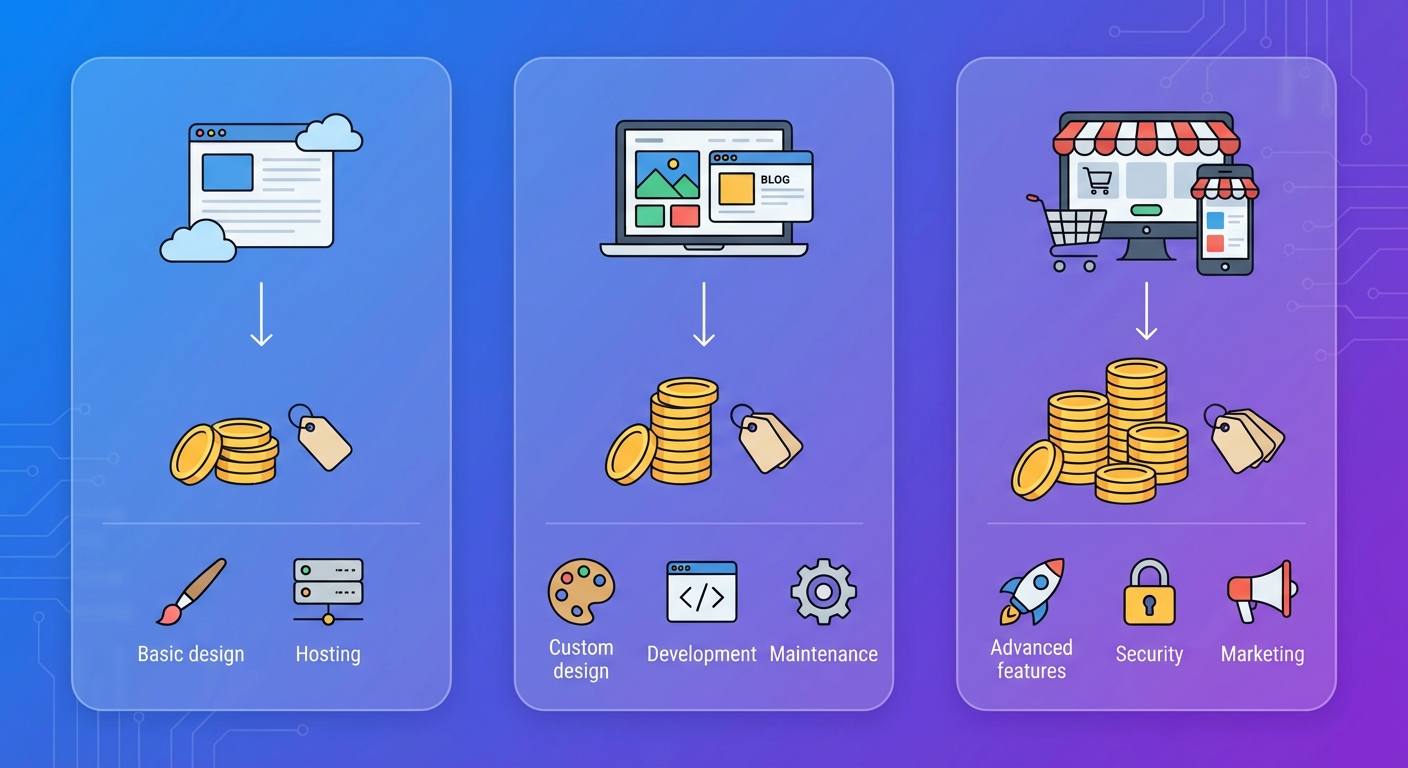
Website Cost in 2026: Real Pricing Table
Before diving into the details, here's a realistic overview of website development costs in 2026. These figures are based on real quotes from qualified freelancers and small-to-mid agencies — not bargain-basement WordPress installations or premium Manhattan agency rates.
Website Type | Price Range | Average Timeline |
|---|---|---|
Landing page / single page | $500 – $1,200 | 1-2 weeks |
Brochure site (3-5 pages) | $1,000 – $3,000 | 2-4 weeks |
Business website with blog | $2,500 – $6,000 | 4-6 weeks |
Professional SEO-optimized site | $4,000 – $10,000 | 6-10 weeks |
Basic eCommerce (up to 100 products) | $5,000 – $15,000 | 6-12 weeks |
Advanced eCommerce | $15,000 – $40,000 | 3-6 months |
Custom web app / platform | $20,000 – $100,000+ | 4-12 months |
Source: Gabriele Barreca, market analysis based on real freelance and agency quotes, 2026. If you cite these figures, please link to this page.
Here's the thing: these are initial development costs only. Your final website price depends on at least seven factors that we'll analyze in the next sections.
The 7 Factors That Determine Website Cost
Why can a website cost $1,000 or $10,000, even when both projects seem similar on the surface? The answer lies in these seven factors. Each one acts as a multiplier on the final price.
1. Complexity and Number of Pages
The number of pages is the first cost multiplier, but not in the way you might think. It's not purely arithmetic: a single landing page with custom animations, video backgrounds, and multi-step forms can cost as much as a ten-page static website.
What truly matters is the functional complexity of each page. An "About Us" page with text and photos requires 2-3 hours of work. An eCommerce product page with configurator, interactive gallery, and reviews requires 10-15 hours.
As a general rule, each standard page adds $100-250 to the quote, but pages with complex functionality can multiply this figure by three or four times.
2. Design: Template vs. Custom
This is the single biggest factor affecting your quote. The two paths have radically different costs:
Customized template ($1,200 – $4,000). Start with a quality theme ($50-150) and customize it with 20-40 hours of work. The result is a site that's 60-70% unique, deliverable in 2-3 weeks. Perfect for small businesses, professionals, and startups with limited budgets.
Fully custom design ($5,000 – $20,000). Every pixel is designed from scratch: wireframes, mockups, interactive prototypes, complete design system. Ideal for premium brands, UX-focused startups, and companies with substantial marketing budgets.
My recommendation? If this is your first digital investment, start with a high-quality template and invest the savings in content and SEO. When the site generates profits, reinvest in a fully custom redesign.
3. Features and Integrations
Every additional feature requires development, testing, and ongoing maintenance. Here's how the most common ones impact your final price:
Feature | Estimated Additional Cost |
|---|---|
Blog with CMS | $400 – $1,000 |
Advanced contact forms | $250 – $600 |
Booking system | $600 – $2,500 |
User accounts / member area | $1,000 – $4,000 |
CRM integration (HubSpot, etc.) | $600 – $2,000 |
AI chatbot / assistant | $600 – $4,000 |
Multi-language support (per language) | $600 – $2,000 |
Payment gateway | $400 – $1,200 |
Animations and micro-interactions | $600 – $2,500 |
Source: Gabriele Barreca, estimates based on real projects 2024-2026. If you cite these figures, please link to this page.
4. Content: Copy, Photos, and Video
An often-underestimated aspect: a website without quality content is like a store with empty windows. Here are the costs to budget if you don't produce content in-house:
Professional copywriting: $100-200 per page of SEO-optimized content
Professional photography: $600-2,500 for a complete shoot
Corporate video: $2,000-6,000 for a presentation video
Custom illustrations: $400-1,200 for icon and graphic sets
A $4,000 development project can easily become a $7,000 project with professional content. But that content makes the difference between a website that converts and one that collects digital dust.
5. SEO and Search Engine Optimization
A website nobody finds is a website that doesn't exist. Search engine optimization isn't an optional add-on: it's a fundamental component of any web project.
Basic technical SEO (included by any serious professional): URL structure, XML sitemap, page speed, semantic markup, optimized Core Web Vitals.
Advanced on-page SEO ($600-2,500): Keyword research, content optimization, structured schema markup, heading strategy, persuasive meta descriptions.
Ongoing SEO ($400-1,500/month): Content production, link building, rank tracking, competitor analysis, monthly reporting.
According to Google Search Central, a search-optimized website has significantly better chances of reaching its target audience.
6. Who Builds the Site: Freelancer, Agency, or DIY
Your choice of provider dramatically affects both price and final quality. Here's an honest comparison:
DIY platforms (Wix, Squarespace): $0 – $400/year
Pros: minimal cost, drag-and-drop interface, online within hours.
Cons: limited customization, mediocre performance, SEO limitations, total platform dependency. If it shuts down or changes its rules, you lose everything.
Specialized freelancer: $2,000 – $15,000
Pros: direct relationship, competitive pricing, dedicated attention, flexibility. Ideal for small businesses and professionals who want quality without enterprise budgets.
Cons: depends on individual expertise. Always verify portfolio and ask for references.
Full-service agency: $6,000 – $60,000+
Pros: complete team (designer, developer, copywriter, SEO specialist), established processes, ongoing support. Best for complex projects or businesses that need to generate significant revenue from the web.
Cons: higher cost, longer timelines, risk of being passed between different team members.
What most people miss: the lowest price isn't always the worst investment, and the highest price isn't always the best. What matters is the ratio between cost and value generated.
7. Compliance and 2026 Regulations
2026 brings new regulatory requirements that affect development costs:
GDPR/Privacy compliance ($250-600): Privacy policy, cookie consent banner, consent management. Mandatory for any website collecting data in the EU or from EU residents.
European Accessibility Act ($400-2,000): Since June 2025, websites for digital products and services must meet WCAG 2.1 AA accessibility standards. This includes adequate color contrasts, keyboard navigation, screen reader compatibility, and alt text for all images. It's no longer optional: it's EU law.
AI Act compliance (variable): If your website uses AI systems for chatbots, recommendations, or personalization, it may be subject to the European AI regulation requirements.
Ignoring these regulations isn't an option. The cost of non-compliance is always higher than the cost of compliance.
Website Cost by Type: Detailed Analysis
Now let's dive into each website type with realistic price ranges, what's included, and who should choose each option.
Brochure Website: Your Digital Business Card ($1,000 – $3,000)
The brochure site is the starting point for any business wanting a professional online presence. It typically includes three to six pages: home, about, services, contact, and optionally a portfolio and an additional page.
Perfect for:
Independent professionals (lawyers, accountants, consultants)
Local businesses wanting to be found on Google
Startups in the validation phase
Anyone needing a presentable online "business card"
What's included at this price range:
Responsive design (mobile-first)
3-6 pages with customized content
Working contact form
Basic search engine optimization
Google Analytics and Search Console integration
Privacy compliance (privacy policy + cookie banner)
What's NOT included (and you might need to add):
Professional copywriting
Photography
Blog and content strategy
Advanced SEO and organic positioning
A quality brochure site won't generate clients on its own, but it gives you credibility when someone searches your name on Google.
Professional Business Website ($3,000 – $10,000)
The business website goes beyond simple online presence: it's designed to generate leads, build authority, and support the company's commercial strategy.
What sets it apart from a brochure site:
Strategy before design. Start with market analysis, competitor research, and target audience definition. Only then design begins.
Conversion-oriented content. Every page has a specific goal: generate a lead, drive a phone call, book an appointment.
Structural SEO. Information architecture designed to rank for strategic keywords, not just "be present."
Integrated blog. Editorial section for publishing valuable content and attracting organic traffic over time.
Business-critical integrations. CRM, email marketing, advanced analytics, booking systems.
But it gets better. The difference between a $2,000 and a $6,000 site isn't always visible to the naked eye. The difference shows up in results: in leads generated, Google rankings, loading speed, and ease of updates.
eCommerce: The Digital Store ($5,000 – $40,000+)
eCommerce is a different world entirely. It's not "a website with a cart" — it's a complete sales system that includes logistics, payments, inventory management, customer service, and marketing.
Basic eCommerce ($5,000 – $15,000):
Up to 100-200 products
Stripe/PayPal payment processing
Configurable shipping rates
Responsive design with customized template
Basic order and inventory management
Advanced eCommerce ($15,000 – $40,000):
Unlimited catalog with advanced filters
ERP/management system integrations
Multi-currency and multi-language
Reviews and loyalty programs
Conversion-optimized checkout
Advanced eCommerce analytics
eCommerce's hidden cost: maintenance.
An eCommerce site isn't a "set and forget" project. It requires continuous catalog updates, transaction monitoring, returns management, and sales funnel optimization. Minimum budget for ongoing management: $400-1,000/month, plus payment processing fees (1.5-3.5% per transaction).
Custom Web Apps and Platforms ($20,000 – $100,000+)
For projects that go beyond traditional websites: SaaS platforms, marketplaces, complex portal logic, web-based management systems.
Simple web app ($20,000 – $40,000): Advanced booking system, basic e-learning platform, product configurator, agent portal.
Medium platform ($40,000 – $75,000): Multi-vendor marketplace, complete management system, platform with complex roles and permissions.
Enterprise project ($75,000+): Microservices architecture, cloud-native scalability, advanced security, complex API integrations.
For these project types, custom React development represents the most performant and scalable technology choice in 2026.
Hidden Costs Nobody Tells You About
The quote is just the tip of the iceberg. Here are the recurring and hidden costs you need to budget to get the complete picture.
Annual Recurring Costs
Item | Annual Cost |
|---|---|
Domain name (.com or country TLD) | $10 – $25 |
Professional hosting | $60 – $360 |
SSL certificate | Included with hosting (or $50-120) |
Maintenance and updates | $360 – $1,500 |
Backup and security | $120 – $600 |
Professional email | $60 – $180 |
Minimum recurring total | $610 – $2,765/year |
The Real Cost of WordPress: What They Don't Tell You
If you're evaluating WordPress, factor in these often-omitted expenses:
Premium theme: $50-100 (one-time, but annual updates required)
Essential plugins (SEO, security, cache, backup): $100-600/year
WordPress updates (core, themes, plugins): at least 2-4 hours/month of maintenance
Security risk: WordPress is the most attacked CMS in the world. Without constant maintenance, hacking risk is real
Performance: A WordPress site with 15-20 active plugins rarely meets Google's Core Web Vitals benchmarks without significant technical intervention
This is why many professionals in 2026 are migrating toward modern solutions built on React and headless frameworks: superior performance, native security, zero plugin dependency.
Costs That "Complete" Quotes Don't Include
Watch out for these expenses that often don't appear in the initial quote but emerge afterward:
Content: Copy, photos, and video are almost never included in the development price
Training: Learning to use the management panel takes time (and sometimes a course)
Post-launch modifications: The first weeks after launch always generate change requests
Digital marketing: SEO, social media, advertising — the website alone doesn't bring customers
Periodic compliance: Privacy policy needs updating whenever you change an analytics service or cookie
How to Choose the Right Path: The Decision Framework
There's no universally right choice. There's the right choice for you, based on three variables: budget, goals, and desired level of control.
Path 1: DIY Platform (budget: $0-400/year)
Choose this path if:
You have more time than money
You need a "presence-only" site without lead generation expectations
You're testing a business idea and don't want to invest before validating it
You're willing to accept limitations on design, performance, and SEO
Don't choose this path if:
The site must generate clients or sales
You need specific functionality
Performance and speed are important to you
You want full control over your site long-term
Path 2: WordPress with a Professional (budget: $2,000-6,000)
Choose this path if:
You want a functional site with a contained budget
You're willing to invest time in maintenance or pay for a support contract
Standard features (blog, forms, gallery) are sufficient
You accept the compromise on performance and security
Don't choose this path if:
Site speed is critical for your business
You want zero dependency on third-party plugins
The site needs to scale significantly over time
Path 3: Custom Development with React (budget: $4,000-20,000+)
Choose this path if:
The site must be a business asset, not an expense
Performance, security, and SEO are top priorities
You want a site that grows with your business without rebuilds
You seek total independence: no platform, plugin, or theme lock-in
Don't choose this path if:
Your budget is under $3,000
You need the site online within a week
You need an eCommerce with thousands of products and complex inventory management (Shopify or dedicated solutions may be more efficient)
But there's more. Your technology choice has a massive impact on total cost of ownership over time. Let's look at the numbers.
Total Cost of Ownership (TCO): The Calculation Nobody Makes
The development price is just chapter one. The true cost of a website is measured by total cost of ownership over three to five years. Here's a realistic comparison for a business website with blog.
3-Year TCO: WordPress vs. Custom React
Cost Item | WordPress | Custom React |
|---|---|---|
Initial development | $3,000 | $6,000 |
Hosting (3 years) | $540 | $360 |
Domain (3 years) | $54 | $54 |
Premium theme & plugins (3 years) | $720 | $0 |
Maintenance & updates (3 years) | $2,880 | $1,080 |
Security incidents (estimate) | $600 | $120 |
Redesign/rebuild (likely needed) | $1,800 | $0 |
3-Year Total | $9,594 | $7,614 |
Source: Gabriele Barreca, estimates based on real WordPress and React project management costs, 2024-2026. If you cite these figures, please link to this page.
Surprised? The React site that costs twice as much upfront ends up costing less over time. The reason is simple: zero plugins to update, zero WordPress vulnerabilities, zero rebuilds after 2-3 years because the site has become slow or insecure.
This doesn't mean WordPress is always the wrong choice. It means the initial price is only part of the equation.
How to Calculate Your Website ROI
Website cost should never be evaluated in isolation. The right question isn't "how much does it cost?" but "how much is it worth?" Here's a concrete formula to calculate return on investment.
The Website ROI Formula
ROI = (Value Generated by Website – Total Website Cost) / Total Website Cost × 100Practical example for a professional:
Website cost: $5,000 (development) + $1,200/year (management) = $6,200 in year one
The site generates 2 new clients per month through SEO positioning
Average client value: $600
Annual value generated: 2 × $600 × 12 = $14,400
Year-one ROI: (14,400 – 6,200) / 6,200 × 100 = 132%
Practical example for an eCommerce:
Website cost: $10,000 (development) + $4,000/year (management + marketing)
Average monthly revenue after 6 months: $6,000
Year-one revenue (accounting for growth): ~$48,000
Year-one ROI: (48,000 – 14,000) / 14,000 × 100 = 243%
The lesson is clear: a professional website isn't a cost. It's an investment with measurable returns. But only if it's designed with strategy, not with a $50 template thrown online without purpose.
2026 Trends Impacting Website Costs
The web design market in 2026 is evolving rapidly. Here are the trends redefining costs and expectations.
Integrated Artificial Intelligence
AI is no longer a buzzword: it's a concrete component of web projects. Intelligent chatbots, content personalization, AI-powered search, automatic product description generation. But integrating these features has a cost: from $600 for a basic chatbot to $5,000+ for advanced personalization systems.
What most people don't know: AI costs are dropping rapidly. What cost $3,000 in 2024 can now be implemented for $800-1,200 thanks to more accessible APIs and pre-trained models.
Mandatory Accessibility
The European Accessibility Act took effect in June 2025. Websites for digital products and services must meet WCAG 2.1 AA standards. This means:
Verified color contrasts on every element
Complete keyboard navigation
Alt text for all images
Logical and coherent heading structure
Compatibility with assistive technologies
For new sites, the additional cost is contained ($250-600) if accessibility is integrated from the design phase. For existing sites, remediation can cost $1,200-4,000 depending on the severity of non-compliance.
Performance as a Ranking Factor
Google continues to reward fast websites. Core Web Vitals have become an increasingly influential ranking factor. Sites loading in under 2.5 seconds (LCP) have significantly lower bounce rates compared to slower sites.
This makes initial technology choices even more critical. A website built on a lightweight, modern codebase (like React with server-side rendering) starts with an advantage over a plugin-heavy WordPress installation.
Checklist: How to Evaluate a Quote Without Getting Ripped Off
Received a quote and not sure if it's fair? Use this checklist to evaluate it point by point.
The quote should include:
Detailed breakdown of every cost item
Exact number of pages and features included
Timeline with clear milestones
Who produces the content (copy, photos, video)
What happens after launch (maintenance, support)
Who owns the source code and domain
How many revisions are included in the price
Annual hosting and maintenance costs
Red flags:
Price is "all-inclusive" without breakdown
Code ownership isn't specified
Post-launch maintenance isn't mentioned
Timelines are vague ("a few weeks")
No mention of GDPR and privacy compliance
Quote promises "first position on Google" (nobody can guarantee this)
Unclear what happens if you want to switch providers
Questions to ask before signing:
"Can I see similar sites you've built?"
"What's included in annual maintenance and how much does it cost?"
"If I want to switch providers tomorrow, what happens?"
"How do you handle technical SEO?"
"Will the site be GDPR and accessibility compliant?"
If the provider can't answer these questions, it's a clear signal you should look elsewhere.
Frequently Asked Questions About Website Costs
How much does website maintenance cost per year?
Annual website maintenance costs depend on project complexity. For a brochure site, minimum cost is around $250-600/year (domain + hosting + minor updates). For a business website with active blog and SEO, the realistic budget is $1,200-3,600/year. For eCommerce, management costs start at $3,600/year and grow with sales volume.
Can I create a website for free?
Technically yes, with platforms like Wix (free plan) or WordPress.com. In practice, a free website has severe limitations: platform advertising, third-level domain (yourname.wixsite.com), minimal customization, poor performance, penalized SEO. For a professional business, a free website can damage your image more than help it.
How long does it take to build a website?
Timelines vary enormously. A landing page can be online in 5-7 days. A quality brochure site requires 2-4 weeks. A structured business website requires 6-10 weeks. A complex eCommerce can take 3-6 months. Be wary of anyone promising a professional website "in 3 days" — either it's a slapped-on template, or something has been cut.
Should I build my website myself or hire a professional?
The answer depends on how much your time is worth. If an hour of your work is worth $60 and you spend 40 hours making a mediocre Wix site, you've "spent" $2,400 in lost time — and you have a mediocre website. For a similar amount, a professional builds you a site that works better, ranks better, and saves you weeks of frustration.
Why are website quotes so different from each other?
Because you're comparing different things. A $500 quote and a $5,000 quote don't offer the same product, even if both promise "a website with 5 pages" on paper. The difference lies in strategy, code quality, performance, SEO, post-launch support, and the site's ability to generate concrete results for your business.
Can a cheap website still be effective?
Yes, provided expectations are aligned. A $1,000-1,500 website can be perfectly effective for a professional who wants a clean, presentable online reference point. It won't be optimized to generate dozens of leads per month, but it will give you credibility when someone searches your name. The problem arises when you expect $12,000 results from a $1,000 budget.
Conclusion: How Much Should You Invest in Your Website
How much does a website cost in 2026? Now you have all the numbers, factors, and tools to answer this question in an informed way.
Let's recap the key takeaways:
Price depends on complexity. From $500 for a landing page to over $50,000 for a custom platform. There's no universally "right" price.
The initial cost is just the beginning. Maintenance, hosting, content, SEO, and marketing are recurring expenses you need to budget from day one.
ROI matters more than price. A $5,000 site that generates $2,500/month in new clients is infinitely more valuable than an $800 site that converts nobody.
Technology makes the difference. Initial technology choices determine performance, security, and total cost of ownership in the long run.
Transparency above all. Demand detailed quotes, ask who owns the code, verify what's included in maintenance.
My final advice? Don't start with the question "how can I spend as little as possible." Start with the question "how much value can my website generate." The answer to that second question determines the right investment for you.
If you have a project in mind and want a transparent quote with no surprises and every cost laid out clearly, let's discuss your project. I'll analyze your situation, honestly tell you which path suits you best, and give you a detailed quote with every line item specified.
Comments
Be the first to share your thoughts!
No comments yet
Be the first to share your thoughts!
Share your thoughts
Log in to comment on this post.
Log in to comment on this post.