How much does it cost to redesign a website in 2026? A practical guide with real pricing
A website redesign costs between $1,500 and $75,000 in 2026, depending on the scope. A visual refresh for a small business site starts around $1,500–$3,000. A strategic redesign with new content, UX improvements, and SEO migration runs $3,000–$10,000 with a freelancer or $5,000–$25,000 with an agency. Full e-commerce rebuilds can exceed $30,000. If you're reading this, your current website probably isn't doing its job. Maybe it loads slowly, looks outdated on phones, or simply doesn't bring in leads. You want to fix it — but first, you need to know what you're looking at financially. Here's what I can tell you right away: there's no single price tag for a redesign. But that doesn't mean you need to guess. In this guide, I'll walk you through realistic cost ranges for every type of project, explain what actually drives the price up or down, and flag the mistakes I see business owners make most often. For a broader view of all website costs (including building from scratch), check out my complete guide to how much a website costs .
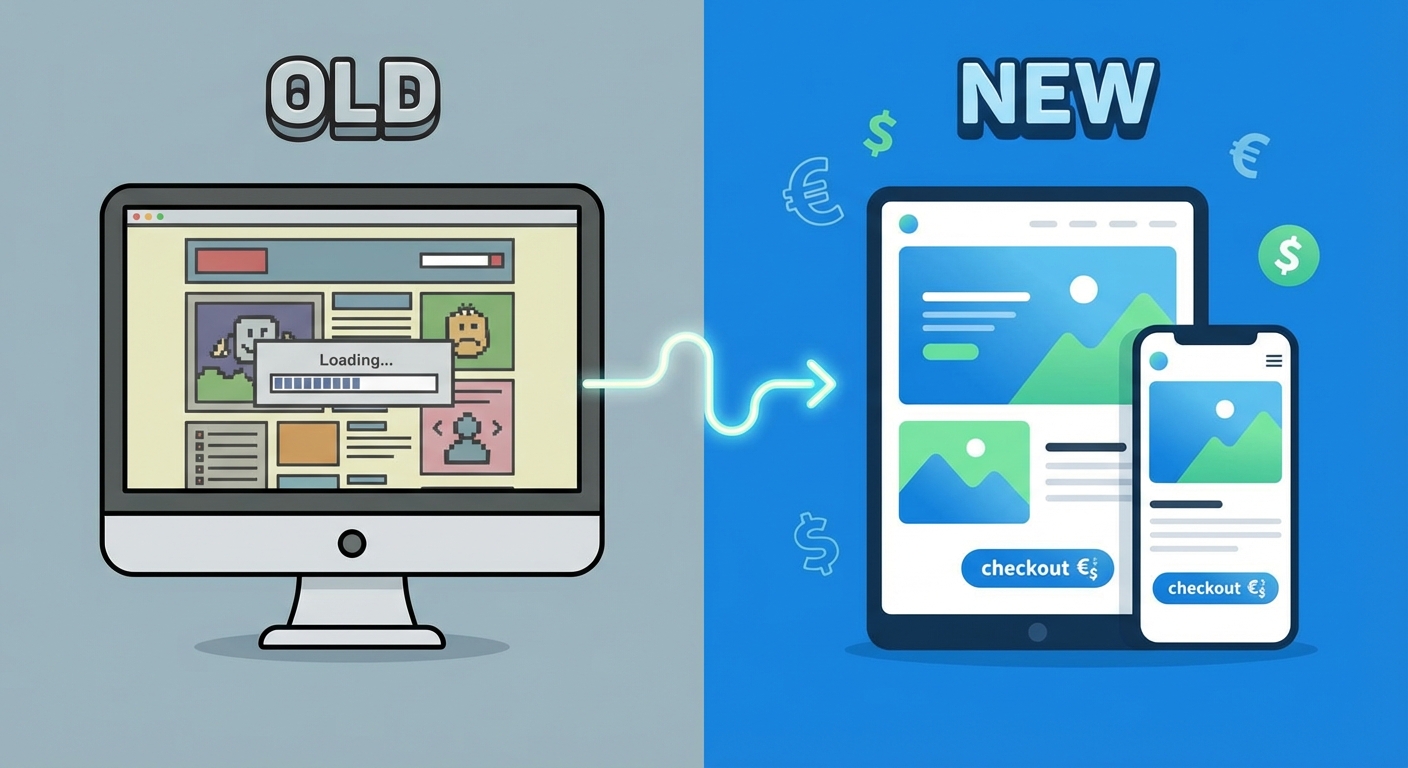
How much does a website redesign cost in 2026? The quick answer
Let me give you the numbers first, context later. Here's what businesses typically pay in 2026:
Who does the work | Typical cost range |
|---|---|
DIY (website builder, template swap) | $500 – $3,000 |
Freelancer (experienced) | $1,500 – $10,000 |
Small/mid-size agency | $5,000 – $30,000 |
Large agency or enterprise project | $25,000 – $75,000+ |
These ranges come from market data across the US, UK, and EU markets. The wide spread reflects the fact that "redesign" means vastly different things depending on the project.
A freelancer charging $3,000 for a small business redesign with fresh content, mobile optimization, and basic SEO is delivering a very different product from an agency quoting $50,000 for a 100-page corporate site with custom integrations and CMS migration.
The key question isn't "what's the average cost?" — it's "what type of redesign does my business actually need?"
Website redesign cost breakdown by project type
Here's a more specific breakdown based on the type of work involved:
Project type | What's included | Cost range |
|---|---|---|
Visual refresh (5–10 pages) | Updated design, colors, typography, mobile fixes | $1,500 – $4,000 |
Strategic redesign (small business site) | New layout, content rewrite, SEO basics, responsive design | $3,000 – $8,000 |
Full rebuild with CMS migration | New platform, content migration, redirects, SEO preservation | $5,000 – $15,000 |
E-commerce redesign | Updated UX, cart optimization, product page improvements | $8,000 – $20,000 |
Full e-commerce rebuild | New platform, product migration, integrations, payment setup | $15,000 – $50,000+ |
These figures apply to the freelancer and small agency market in 2026. Enterprise projects with dedicated teams and complex requirements sit above these ranges.
Want to understand what should be inside a professional website quote? I've written a detailed guide on what to expect from a website quote.
Refresh, redesign, or rebuild: which one do you need?
The word "redesign" gets thrown around loosely. In reality, there are three distinct levels of intervention — and choosing the wrong one means either overspending or underinvesting.
Visual refresh: the lightest touch
A visual refresh updates the look and feel without touching the underlying structure. Think new colors, updated fonts, better images, and improved mobile layout. It makes sense when the site works well technically (fast, well-indexed, functional) but looks dated.
This is the fastest and cheapest option. You're changing the paint, not the walls.
Strategic redesign: the middle ground
A strategic redesign goes deeper: new page structure, rewritten content, improved user journeys, and proper SEO optimization. It's the right choice when the site has structural issues — confusing navigation, weak calls-to-action, content that doesn't match what your customers are looking for, or poor mobile performance.
This is where most small businesses land. The site isn't broken beyond repair, but it's not performing either.
Full rebuild: starting from scratch
A full rebuild means a completely new site — new platform, new design, new content, new everything. It's necessary when the current site is built on outdated technology, the CMS is no longer supported, or the business has changed so much that the existing site can't be adapted.
Rebuilds cost more and take longer, but sometimes they're the most cost-effective path. Patching a fundamentally broken site often costs more over time than starting fresh with a solid foundation.
Here's a quick test: run your current site through Google PageSpeed Insights. If your mobile score is below 50 and the site is more than 5 years old, you're likely looking at a redesign or rebuild rather than a refresh.
What drives the cost of a website redesign
Understanding the cost factors gives you negotiating power. When you know what you're paying for, you can make informed decisions about where to invest and where to cut.
Site size and complexity
A 5-page brochure site takes far less work than a 40-page site with a blog, client portal, booking system, and multi-language support. It's not just the number of pages — it's the functionality behind each one. Every custom feature (advanced contact forms, CRM integration, interactive elements) adds development time.
If you're curious about why websites cost so much, I've broken down every cost component in a separate article.
Content creation and copywriting
Who writes the text matters more than most people realize. If you provide your own copy and images, the cost drops. If you hire a copywriter who knows how to write for the web (clear, scannable, optimized for search), the site will perform better — but the budget goes up.
In my experience, professionally written content is one of the best investments you can make in a redesign. A beautiful site with generic copy and stock photos collects visits but doesn't convert them into leads.
SEO migration: the hidden cost most quotes miss
This is the line item that separates a $2,000 redesign from a $5,000 one — and it's the one most likely to be missing from cheap quotes. If your existing site has pages that rank on Google, a poorly managed redesign can wipe out years of organic traffic overnight.
SEO migration includes: mapping all existing URLs, setting up 301 redirects for every URL that changes, preserving meta tags on ranking pages, updating the XML sitemap, and monitoring Google Search Console for errors after launch.
If a quote doesn't mention any of this, ask why. The money you "save" on a cheap redesign often costs you far more in lost traffic.
Design customization level
A redesign built on a pre-made template costs less than a fully custom design. Templates are fine for many small businesses — they're faster to build and still look professional. But they have limitations: less flexibility, potential performance issues, and a design that won't be unique to your brand.
Custom design costs more because it involves research, wireframing, multiple revision rounds, and careful attention to user experience. The right choice depends on your goals and budget.
How to protect your SEO during a redesign
This is the section most redesign guides skip — and it's the one that can save you thousands in lost revenue.
The redirect map that saves your rankings
When URL structures change during a redesign (and they almost always do), every old URL needs a 301 redirect pointing to the new equivalent. Without this, Google finds dead pages, drops your rankings, and your organic traffic disappears.
Pre-launch and post-launch checklist
Before launch:
Map every URL from the old site and prepare 301 redirects to corresponding new pages
Preserve title tags and meta descriptions on pages that currently rank well
Maintain heading structure (H1, H2) on key pages
Ensure the new site has an updated XML sitemap
Test all redirects before going live
After launch:
Submit the new sitemap to Google Search Console
Monitor 404 errors daily for the first 4 weeks
Track impressions and clicks: a 10–15% dip in the first week is normal; anything over 30% signals a problem that needs immediate attention
A professional who takes SEO seriously includes all of this as part of the standard project scope — not as an add-on you pay extra for.
7 signs your website needs a redesign (not just a facelift)
Not every outdated-looking site needs a full redesign. But if you recognize two or more of these signals, it's time to act:
Pages take more than 3 seconds to load. Speed directly affects both user experience and Google rankings. Test yours at PageSpeed Insights.
The site doesn't work well on mobile. With over 60% of global web traffic coming from phones, a non-responsive site is actively pushing away customers.
It's not generating leads or inquiries. This is the most important signal. If your website isn't bringing in clients, the problem is usually structural.
The design looks like it belongs in a different era. Visual credibility matters. First impressions form in seconds.
You can't easily update content yourself. If changing a phone number or adding a blog post requires a developer, your CMS is working against you.
It doesn't appear on Google for relevant searches. Poor SEO foundations — missing meta tags, broken heading structure, slow load times — keep you invisible.
The technology behind it is no longer maintained. Outdated themes, unsupported plugins, or end-of-life CMS versions create security vulnerabilities.
The European Accessibility Act: a new reason to redesign
Since June 28, 2025, the European Accessibility Act (EU Directive 2019/882) has been in full effect across the European Union. It requires websites offering e-commerce or digital services to EU consumers to meet accessibility standards based on WCAG 2.1 Level AA (with WCAG 2.2 recommended as best practice, as the EU harmonized standard is being updated to incorporate it).
Micro-enterprises (fewer than 10 employees and annual turnover below €2 million) are exempt. But if your business sells products or services online to EU consumers and doesn't qualify for this exemption, compliance is no longer optional.
For many older websites built without accessibility in mind, meeting these requirements means structural changes — keyboard navigation, screen reader compatibility, color contrast adjustments, and alt text for all images. These changes often make a redesign more cost-effective than piecemeal fixes.
If you're already considering a redesign for other reasons, building accessibility in from the start is significantly cheaper than retrofitting it later.
How to calculate the ROI of your website redesign
A redesign isn't an expense — it's an investment. And like any investment, it should generate returns.
The math is straightforward. Say your redesign costs $5,000. If the new site generates 20 additional leads over 12 months, and each lead is worth $500 in revenue, that's $10,000 — a 2x return on your investment.
Not all returns are direct sales. A consultant might get more inquiry calls. A restaurant might get more online reservations. A local tradesperson might rank higher for searches in their area. The key is defining what "success" looks like before you start, then measuring whether it actually happens.
The real question isn't "how much does a redesign cost?" — it's "how much is my current underperforming site costing me?" Every month your site fails to generate leads is a month of lost opportunities. That cost is silent, but it compounds.
Agency vs freelancer vs DIY: choosing the right path
Each option has trade-offs. Here's an honest comparison:
Option | Best for | Typical cost | Strengths | Limitations |
|---|---|---|---|---|
DIY (Wix, Squarespace, WordPress + template) | Very small budgets, simple sites | $500 – $3,000 | Low cost, fast | Limited customization, no strategic guidance, your time |
Freelancer | Small businesses, focused projects | $1,500 – $10,000 | Personal attention, flexible, often better value | One person can't cover everything (design + dev + SEO + copy) |
Small agency | Mid-size businesses, complex needs | $5,000 – $30,000 | Full team, broader expertise | Higher cost, potential for less personal communication |
Large agency | Enterprise, complex integrations | $25,000 – $75,000+ | Dedicated team, project management, scalability | Expensive, slower, may not suit smaller projects |
For most small businesses and professionals, a skilled freelancer or a small agency offers the best balance of quality, attention, and cost. The important thing is choosing someone who explains what you're paying for and doesn't disappear after launch.
Common website redesign mistakes (and how to avoid them)
After working on redesign projects, these are the patterns that cost business owners the most:
Choosing purely based on the lowest price. A $500 "complete redesign" should raise red flags. At that price, you're not getting SEO migration, quality content, cross-device testing, or post-launch support. You'll likely end up paying twice.
Ignoring SEO during the process. The most expensive mistake. If your site has existing organic traffic and nobody handles redirects and content migration, that traffic vanishes. Recovery takes months.
Starting without clear goals. "I want a new website" isn't a goal. "I want a site that generates at least 5 contact requests per month" is. Without measurable targets, you can't evaluate whether the investment worked.
Always opting for the full rebuild. Not every site needs to be rebuilt from scratch. Sometimes a targeted update — new copy, a working contact form, some technical optimization — delivers real results at a fraction of the cost.
Forgetting about ongoing website maintenance costs. A new site that isn't maintained becomes an old site within a couple of years. Hosting, security updates, backups, and minor fixes are recurring costs that belong in your budget from day one.
How long does a website redesign take?
Timelines vary as much as costs, but here are realistic expectations:
Project type | Typical timeline |
|---|---|
Visual refresh | 1–2 weeks |
Small business redesign | 3–6 weeks |
Redesign with CMS migration | 4–8 weeks |
E-commerce redesign/rebuild | 6–12 weeks |
These include discovery, design, development, content integration, and testing. Timelines stretch when content isn't ready (waiting for copy or images is the most common delay) or when revision rounds multiply.
A practical tip: agree on a project timeline upfront with your developer, including specific dates for when you'll deliver content and when they'll hit development milestones. This prevents the project from dragging on for months.
Ready to find out what your website really needs?
If this guide has helped you understand where your site stands, the next step is a concrete assessment: what's working, what isn't, and what type of intervention makes the most sense for your goals and budget.
Get in touch for a no-obligation conversation — I'll take a look at your current site and give you a clear picture of what type of intervention makes sense for your goals and budget.
You can also explore my web development services to see how I work and what kinds of projects I take on.
Frequently asked questions about website redesign costs
How much does it cost to redesign a small business website? A visual refresh starts at $1,500–$4,000. A strategic redesign with new content, improved UX, and SEO optimization typically costs $3,000–$8,000 with a freelancer. The final price depends on the number of pages, the level of customization, and whether content creation is included.
What's the difference between a website refresh and a full redesign? A refresh updates visual elements (colors, fonts, images, mobile layout) without changing the site's underlying structure. A redesign also reworks page architecture, content strategy, user flows, and technical foundations. Choose a refresh when the site works well technically but looks dated; choose a redesign when there are deeper structural problems.
Can I redesign my website without losing Google rankings? Yes, if the process is managed with SEO in mind. This means implementing 301 redirects for all URL changes, preserving meta tags on ranking pages, keeping heading structures consistent, updating the sitemap, and monitoring Google Search Console after launch. If your developer doesn't mention any of this, ask questions.
How often should a business redesign its website? There's no fixed schedule, but most professional websites stay current for 3–5 years. Rather than watching the calendar, watch the signals: loading speed, mobile experience, lead generation, and search visibility. If two or more of these are declining, it's time to act.
Does the European Accessibility Act require me to redesign my website? If your website offers e-commerce or digital services to EU consumers and your business has 10+ employees or over €2 million in annual turnover, you must comply with WCAG 2.1 AA accessibility standards since June 2025. For older sites built without accessibility considerations, this may require significant structural changes or a redesign.
Is it cheaper to redesign a website or build a new one? It depends on the current site's condition. If the underlying platform is solid and well-maintained, a redesign is typically 30–50% cheaper than building from scratch. But if the technology is obsolete or the site structure is fundamentally broken, a new build is often more cost-effective than trying to patch what's there.
Comments
Be the first to share your thoughts!
No comments yet
Be the first to share your thoughts!
Share your thoughts
Log in to comment on this post.
Log in to comment on this post.