Your Website Isn't Bringing In Clients? Here's Why (And How to Fix It)
Your website isn't generating clients. Nobody contacts you, the phone doesn't ring. Yet the site is there — you paid for it, it's been online for months, maybe years. I know this frustration well: it's the number one reason business owners reach out to me. And I understand. You invested time and money believing that just "being online" would bring customers to your door. Maybe that's exactly how it was sold to you: "We'll build you a website and the clients will come." But reality told a different story. The good news? The problem isn't you. In the vast majority of cases, the site doesn't work because it was designed to exist, not to sell. Nobody ever explained the difference to you — and that's the responsibility of whoever built it. In this article, I'll show you exactly where the problems are hiding, how to diagnose them on your own (no technical skills required), and what to do to turn your website into a tool that works for you — 24 hours a day, 7 days a week. No incomprehensible jargon, just concrete solutions you can start applying today.
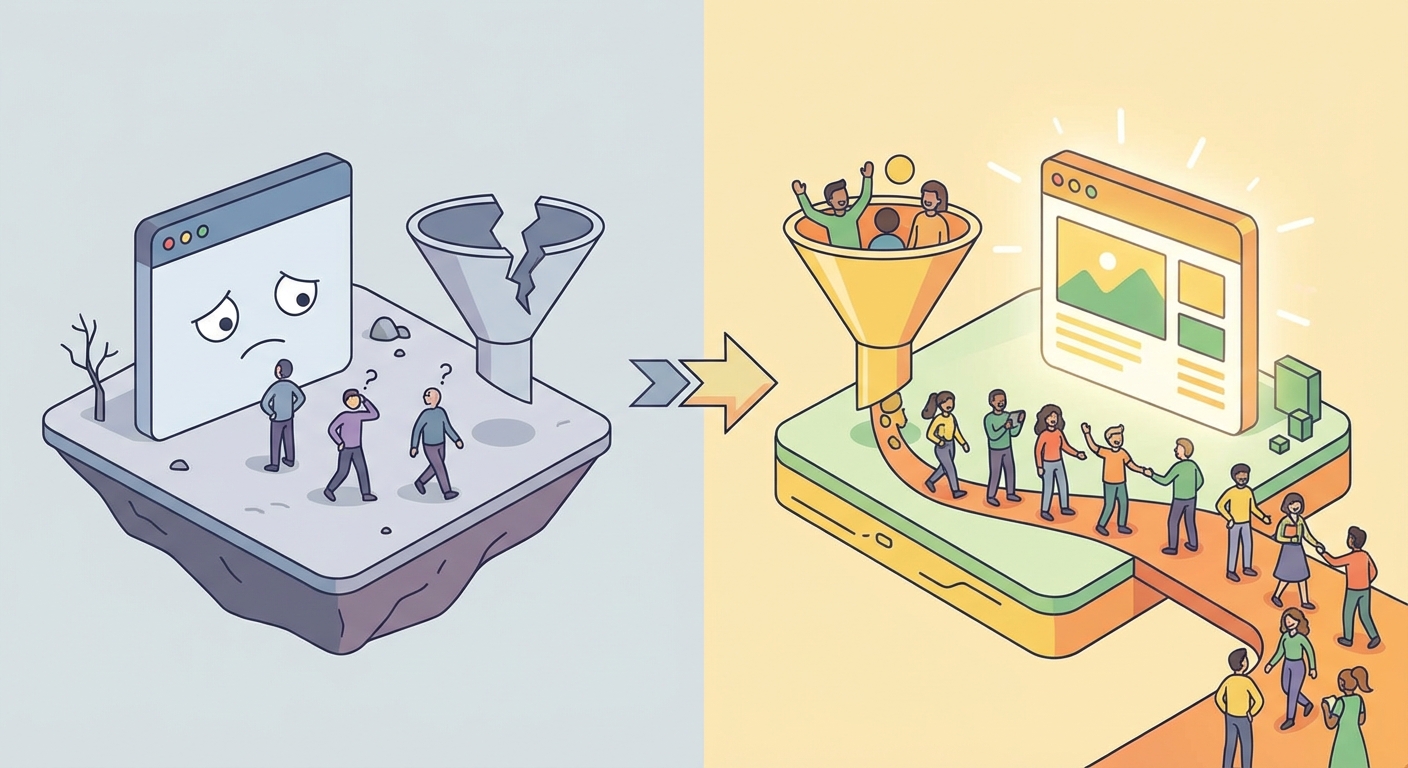
Why Your Website Doesn't Bring In Clients: The Real Underlying Problem
Before diving into the technical details, let's clarify a fundamental concept that completely changes the perspective.
Most small business websites were built with a single goal: to have an online presence. A digital business card, a brochure with a logo, a few photos, and a phone number. That's it. Project done.
But having a website doesn't mean having a sales tool. It's like opening a shop on a busy street, filling it with beautiful products, and then not putting up a sign, not opening the door, and not talking to anyone who walks by the window. The shop is there, it technically exists, but it sells nothing.
The numbers confirm this reality in stark terms. According to ISTAT data from 2025, only 14.3% of Italian SMEs manage to generate at least 1% of their revenue through digital channels. That means for over 85% of small and medium businesses, the website is essentially a cost with no measurable return.
A 2025 study by the Digital Innovation Observatory at Politecnico di Milano reinforces the picture: 46% of Italian SMEs still consider digital's role as marginal in their industry. And 38% don't even recognize the need to improve their digital skills.
The result? Millions of websites costing money every year in hosting and domain fees, but not bringing in a single client. A silent drain on the budgets of businesses that often can't afford to waste even one euro.
Here's the key point: your website isn't broken. It's simply incomplete. It's missing fundamental pieces that would transform it from a silent storefront into a tireless salesperson. And these missing pieces are almost always the same.
Let's look at them one by one.
1. Your Website Doesn't Show Up on Google (And You Don't Know It)
The most common problem, and often the most underestimated: nobody finds your site when they search for your service. You can have the most beautiful website in the world, but if it doesn't appear when someone searches "plumber in [your city]," "seafood restaurant [your area]," or "divorce lawyer [your town]," it's as if it doesn't exist.
Think about it: when you need something, what do you do? You open Google and search. Your customers do exactly the same thing. If your site doesn't appear in those results, you're handing those customers to the competition — literally.
How to Check in 2 Minutes
Open Google and run two searches:
Search for your business name. If it doesn't even show up like that, the problem is severe.
Search for what you do + your city (example: "electrician downtown Chicago," "Italian restaurant Brooklyn," "accountant Austin TX").
If your site doesn't appear on Google's first page for the second search, you have a serious organic visibility problem. And no, the second or third page of Google doesn't count: over 90% of users never scroll past the first page.
Why It Happens
In most cases, the site was built without any search engine optimization (SEO). Whoever built the site focused on design, colors, logo, and animations — but never asked the fundamental question: how will potential clients find this website?
The most frequent issues include:
No keyword research: the website copy uses technical or corporate terms that nobody actually searches for on Google
Generic page titles: "Home," "Services," "About Us" communicate nothing to Google about what you offer
No valuable content: a few pages with minimal text don't give Google enough material to understand what the site is about
No local strategy: no connection between the website and the geographic area where you operate
The Solution
Your site needs a local SEO strategy that includes at minimum these fundamental elements:
Keywords in page titles and body text, chosen based on what your potential clients actually search for — not what you think they search for
A complete and updated Google Business Profile, with real photos, hours, reviews, and a link to your website
Useful content that answers your clients' questions: a blog with informative articles, a detailed FAQ section, practical guides related to your industry
Structured data (schema markup) that helps Google understand who you are, what you do, where you operate, and why you're relevant
Consistent information: your business name, address, and phone number must be identical everywhere — website, Google Business, directories, social media
SEO isn't magic and doesn't produce instant results, but it's the only way to get free, continuous traffic over time. Every month without SEO is a month where your competitors are getting ahead.
If you want to understand how much a professional website costs, I cover it in detail in a dedicated article.
2. Your Website Is Slow (And Clients Leave Before They Even See It)
What many business owners don't realize is that site speed has a direct, measurable impact on sales. It's not a technical detail reserved for IT professionals: it's a factor that determines whether a potential client stays or leaves.
The Numbers That Should Concern You
The data on this topic is unequivocal:
Over 53% of mobile users abandon a site if it doesn't load within three seconds
Sites that load in one second convert an average of 2.5 times more than those that take five seconds
Every tenth of a second improvement in loading speed can translate to an 8% increase in conversion rate for commercial sites, according to a Deloitte analysis
A Portent study found that e-commerce sites loading in one second have a 3.05% conversion rate, which drops to 1.68% at two seconds — nearly half
According to Google, for every second of loading delay, the probability the visitor leaves increases by 32%
In practical terms: if your site takes five seconds to load, you're losing more than half of your visitors before they even see what you offer.
How to Check
Go to Google's PageSpeed Insights and enter your website address. The score ranges from 0 to 100:
Below 50: you have a serious problem that's actively driving clients away
Between 50 and 89: there's room for improvement, but the situation isn't critical
Above 90: you're in good shape, focus on other aspects
Run the test for both the desktop and mobile versions. The mobile version matters most because Google evaluates your site primarily through its smartphone version.
The Most Common Causes of Slowness
Oversized images: photos uploaded directly from the camera, without optimization, weighing 3-5 MB each when 100-200 KB would suffice
Cheap shared hosting: slow, overcrowded servers shared with hundreds of other sites that slow everything down
Unnecessary plugins and code: especially on WordPress sites, every added plugin is extra weight the browser must load
No compression or caching: files aren't compressed and the browser must re-download everything from scratch on each visit
Heavy WordPress themes: many "all-in-one" themes load thousands of lines of code even for features you never use
The Solution
A fast website isn't a luxury: it's the bare minimum for not losing clients. Images need to be optimized in WebP format (up to 30% lighter than JPEG), code needs to be cleaned of everything superfluous, and hosting needs to match the project's requirements.
A site built with modern technology and clean code is inherently faster than a WordPress site weighed down by dozens of plugins. That doesn't mean WordPress is always wrong, but it means the platform choice has direct consequences on performance — and therefore on your bottom line.
3. Your Website Talks About You, But Not to the Client
This is the most widespread error and the hardest to recognize because it seems counterintuitive: the site talks too much about you and too little about your client's problems.
Try this exercise: open your homepage and read the first three sentences. What do they say?
If you find something like "Industry leader since 1995," "Our mission is excellence," "Quality and professionalism at your service" — you have a problem. Not because these things aren't true. But because the visitor arriving on your site doesn't care about them.
Why It Doesn't Work
Your potential client arrives on the site with a problem to solve. They have an urgent need, a question, a concrete requirement. They don't care how many years you've been in business, what awards you've won, or what your corporate mission statement is. Not yet, anyway.
They want to know one thing, and they want to know it fast: can you solve my problem?
If the answer isn't clear within the first five seconds — and I mean literally five seconds — they close the page and go to the competitor. Not because you're worse, but because the competitor communicated better.
A Concrete Example
Imagine you own a restaurant. You're looking for a web developer because you want a site that brings in reservations.
Homepage that doesn't work:
"XYZ Web Agency — Since 2005 we create innovative digital solutions for businesses of all sizes. Our team of certified professionals is at your service to build your online presence."
Homepage that works:
"Empty tables on Tuesday night? I'll help you fill them with a website your customers find on Google when they search for where to eat in your area."
The difference is enormous. The second version speaks about the client's problem, not about the company. And the client immediately feels understood.
The Solution: Flip the Perspective
Every page of your site should answer three questions, in this order:
I understand your problem — Show the visitor you know exactly what difficulty they're facing
I have the solution — Explain how your service or product solves that specific problem
Here's what to do now — Give a clear, immediate indication of the next action
This framework is called PAS (Problem → Agitate → Solve), and it's the foundation of all effective commercial communication. You don't need to invent anything new: you just need to put the client at the center, not yourself.
Rewrite your website copy through this lens and you'll see the difference. Not in compliments you receive ("what a nice site!"), but in the contacts that come in.
4. There's No Clear Call to Action (Or Too Many of Them)
The visitor has arrived on your site, read what you offer, and is interested. Perfect. Now what? What should they do?
If the answer isn't immediately clear — if they have to search, scroll, or guess — you've lost a potential client. Not because they weren't interested, but because you made the next step too difficult.
Warning Signs
Open your site and check if you recognize any of these scenarios:
The phone number is hidden in the footer in tiny font, requiring scrolling to the bottom to find it
The only way to contact you is a form with ten required fields
There's no obvious button saying "Call Me," "Request a Quote," or "Book Now"
There are so many options, links, and buttons that the visitor doesn't know where to click first
The "Contact" page is the only place on the entire site where it's possible to take action
The Golden Rule
Every page of your site should have one (and only one) primary action you want the visitor to take. It's called a CTA — Call to Action — and it's the element that transforms a curious visitor into a potential client.
The CTA can be:
Call you → clickable phone number, prominently displayed, with a phone icon
Write to you → form with a maximum of 3-4 fields (name, email, phone, message)
Book → direct link to booking or calendar
Request a quote → large, colored button, impossible to miss
Where to Position the CTA
The call to action should be placed in three spots on the page:
Above the fold — visible immediately, without scrolling. This is the most important position.
Midway through the page — after the visitor has read enough to be interested
At the bottom of the page — for those who've read everything and are now ready to act
A common mistake is concentrating everything on the "Contact" page. But the truth is that a visitor can decide to contact you at any moment during navigation — and if they can't find an immediate way to do so at that moment, the moment passes and the client is lost.
The Text Matters as Much as the Placement
"Contact us" is generic. "Request your free quote within 24 hours" is specific, promises something concrete, and creates a sense of value. Specificity always outperforms vagueness.
5. Your Website Doesn't Work on Mobile
This point might seem obvious in 2026, yet the numbers tell a different story. Over 60% of web traffic today comes from mobile devices. For local searches — the ones your potential clients make when looking for a service in their area — the percentage is even higher.
If your site isn't perfectly navigable on a smartphone, you're losing more than half of your potential clients.
How to Check (60-Second Test)
Take your phone and open your website. Now try these five things:
Read the text on the homepage without pinching to zoom
Click on a button or link with your thumb without hitting the wrong one
Find the phone number and call yourself with a single tap
Fill out the contact form without struggling with the mobile keyboard
Navigate the menu and reach at least three different pages
If even one of these actions is uncomfortable, slow, or frustrating, you have a problem that's costing you clients every single day.
Why It's a Double Problem
A site that doesn't work well on mobile hits you on two fronts simultaneously:
Front 1 — User experience: the visitor gets frustrated, can't find what they're looking for, and closes the page. The contact is lost.
Front 2 — Google ranking: since 2019, Google uses "mobile-first indexing," meaning it evaluates your site primarily through its mobile version. If that version is poor — slow, with unreadable text, tiny buttons — your ranking suffers even for people searching from desktop.
The Solution
The site must be responsive by design, meaning designed from the start to adapt to any screen. But be careful: "responsive" doesn't just mean "it also shows up on phones." It means the mobile experience has been specifically thought out and optimized for people browsing with their thumbs.
This means: a simplified and easily accessible menu, adequately sized buttons (at least 44x44 pixels, the minimum comfortable tap target), readable text without zoom, forms with few fields and adapted input types (numeric keyboard for phone, email keyboard for email), images that resize without slowing down loading.
6. There's No Reason to Trust You
Let's put it this way: a potential client arrives on your site. They don't know you, have never seen you, know nothing about you except what they read on screen. Why should they trust you enough to pick up the phone and call?
Online trust is different from offline trust. When you walk into a store, you can look the owner in the eye, touch the products, assess the environment. Online you have none of these elements. You need to build trust deliberately through specific signals.
And a user decides in less than five seconds whether a site inspires trust or not. That's not an exaggeration: it's the result of usability studies repeated over the years.
The Trust Signals That Are Missing
Here's what visitors don't find on most small business websites:
No reviews or testimonials from clients — not even one
No real photos of the owner, team, or workplace. Just generic stock images that scream "this site is fake"
No clear business information: no visible tax ID, no physical address, no indication of who's behind the business
No case studies or concrete examples of work done and results achieved
No certificates, professional recognition, or affiliations
No social media links showing real, recent activity
The Solution: Build Trust Piece by Piece
Online trust is built through a combination of consistent signals. None of these alone is sufficient, but together they create a convincing picture:
Real reviews and testimonials. Ask your satisfied clients to leave a Google review and then display it on your site. With first name, last name, and if possible, a photo. Anonymous or generic reviews ("great service, highly recommend!") carry less weight than detailed, attributable ones.
Your face. An "About Me" page with a professional photo, a brief story of who you are and why you do what you do, makes an enormous difference. People buy from people, not from anonymous logos. This is even more true for small local businesses.
Legal and contact information prominently displayed. Tax ID, physical address, email, phone number — all visible, not hidden on a secondary page. These elements communicate transparency and seriousness.
Portfolio or case studies. If you've done noteworthy work, show it. You don't need to be an international agency: even a single example with a "before and after" (initial situation → intervention → result) is more convincing than a thousand slogans.
Integrated Google Reviews. Connect reviews from your Google Business profile directly to your site. The fact that they're verifiable on an external platform makes them more credible.
7. You're Not Measuring Anything (And You're Flying Blind)
This is the most overlooked point of all, and perhaps the most important for the long term: if you don't measure, you can't improve. And if you can't improve, any investment in the site is a leap of faith.
How many visitors does your site get per month? Where do they come from — Google, social media, word of mouth? Which pages do they look at most? How long do they stay? How many of them actually contact you?
If you can't answer any of these questions, you're flying blind. It's like running a store without knowing how many people walk in, how many buy, and how many walk out empty-handed. No business owner would run a physical store that way — yet it's exactly what happens with most websites.
The Essential Tools (And They're Free)
You don't need expensive software or advanced skills. Google provides three free tools that give you all the fundamental information:
Google Analytics tells you how many people visit your site, where they come from (Google, social media, direct links), which pages they view, how long they stay, and at what point they leave. It's your digital "entrance counter."
Google Search Console tells you which keywords your site appears for on Google, how many times it's shown in search results (impressions), how many times it gets clicked, and what the average position is for each keyword. It's your visibility thermometer.
Google Business Profile shows you how many people found you on Google Maps, how many called you directly from the profile, how many asked for directions, and how many visited the site. For a local business, this data is gold.
The Numbers That Actually Matter
You don't need to get lost in complex metrics or sophisticated dashboards. To start, focus on these four key indicators:
Metric | What It Tells You | Where to Find It | Alarm Threshold |
|---|---|---|---|
Unique visitors/month | How many people see your site | Google Analytics | Below 100 = urgent visibility work needed |
Bounce rate | How many leave without doing anything | Google Analytics | Above 70% = content or speed issues |
Ranked keywords | How many searches you appear for on Google | Google Search Console | Zero keywords in top 10 = no SEO presence |
Conversions/contacts | How many people write or call from the site | Forms + phone | Zero contacts/month = site isn't converting |
The Diagnostic Rule
Once you have the numbers, the diagnosis becomes straightforward:
The site gets visitors but nobody contacts you? → The problem is in the messaging, copy, or CTAs. Visitors arrive, look around, and leave because they don't find what they're looking for or don't understand what to do.
The site doesn't get visitors? → The problem is visibility. Nobody finds you on Google, so nobody can contact you. Priority: SEO.
The site gets visitors who leave immediately? (high bounce rate) → The problem is speed, design, or first-screen content. Something about the first impression drives people away.
The site gets visitors, some contact you, but contacts don't become clients? → The problem might be offline — in how you respond, response times, follow-up. The site is doing its job, but the chain breaks afterward.
Only by measuring can you understand where to intervene. Otherwise you risk rebuilding the site from scratch when only one thing needed fixing — or worse, doing nothing because "the internet just doesn't work for my business."
Diagnostic Checklist: Is Your Website Working for You?
Here's a practical checklist you can use right now, in five minutes, for a quick diagnosis of your site. Answer each point honestly — honesty is the only thing you need.
# | Diagnostic Question | ✅ / ❌ |
|---|---|---|
1 | When I search for my service + my city on Google, does my site appear on the first page? | |
2 | Does the site load in under 3 seconds? (test at pagespeed.web.dev) | |
3 | Does the homepage clearly communicate what I do and for whom, within the first 5 seconds? | |
4 | Is there at least one contact or action button visible without scrolling? | |
5 | Is the site perfectly navigable and readable on a smartphone? | |
6 | Are there real reviews, genuine photos, and verifiable business information? | |
7 | Do I have Google Analytics and Search Console installed, and can I read the basic data? |
How to interpret the result:
7 yes → Your site has the right foundations. You can optimize details to improve conversions: A/B testing CTAs, expanding content, implementing a blog content strategy.
4-6 yes → There are critical areas to fix, but the basic structure holds. With targeted interventions you can achieve significant results without rebuilding from scratch.
0-3 yes → The site has serious structural problems. You probably need a complete strategic rethink — not just a visual refresh, but a reconstruction based on business objectives.
Brochure Website vs. Website That Converts: The Concrete Differences
To make the concept even clearer, here's a direct, detailed comparison between a site that serves as a "passive brochure" and one strategically designed to generate clients:
Aspect | Brochure Website ❌ | Website That Converts ✅ |
|---|---|---|
Stated goal | "Having an online presence" | Generating qualified leads and sales |
Homepage | About us, our history, our values | Client's problem → the solution → what to do now |
Copy | Self-referential, full of jargon | Focused on concrete benefits for the client |
Call to Action | Form hidden on the contact page | Prominent, specific buttons on every page |
SEO | No strategy, no keyword research | Optimized for potential clients' local searches |
Mobile | "It also shows on phones" (with some issues) | Designed mobile-first, then adapted for desktop |
Speed | 5+ seconds loading, heavy images | Under 2 seconds, optimized images, clean code |
Trust | Stock images, zero reviews, no faces | Real photos, verifiable testimonials, transparent data |
Content | 5 static pages written once and never updated | Active blog, detailed FAQs, content answering real questions |
Data analysis | "I don't know how many visitors I get" | Dashboard with key metrics monitored monthly |
Updates | Never touched after launch | Regularly updated based on data |
Bottom line | Costs money every year, brings nothing measurable | Generates measurable leads, pays for itself |
How to Avoid Making the Same Mistakes Again
If reading this article you recognized your site in many of the problems described, you're probably wondering: how do I avoid making the same mistakes next time?
Whether you decide to improve the current site or rebuild it, here are the right questions to ask any professional or agency before handing over the work:
The 5 Questions That Protect You
1. "What SEO strategy does the project include?" If the answer is "we'll handle SEO afterward" or "that's a separate service," it's a red flag. SEO isn't an add-on: it's a fundamental part of the design process. A website without SEO is a shop without a sign.
2. "How will we measure results?" If the professional doesn't mention Google Analytics, Search Console, conversion goals, and periodic reports, they probably aren't accustomed to measuring the effectiveness of their work. And what isn't measured doesn't improve.
3. "Who writes the copy?" Copy is the heart of the site. If the answer is "the client provides it" or "we'll put in placeholder text and figure it out later," the result will be a beautiful but mute website. Copy needs to be written strategically, based on keywords and your ideal client profile.
4. "Will I have autonomy in managing content?" Watch out for dependency traps. If changing a phone number requires paying for a technical intervention, something is wrong. A good website gives you autonomy over daily operations while maintaining technical support for more complex matters.
5. "Can you show me examples of sites that delivered measurable results?" A nice portfolio isn't enough. Ask for concrete results: "this site brought X contacts per month" or "organic traffic grew by Y%." If the professional can't answer with numbers, they probably don't measure results even for themselves.
Want to know if your site has these problems? Contact me for a free analysis — I'll analyze your site and tell you what to fix first. No commitment, no cost.
What to Do Right Now: The First Concrete Steps
You don't need to throw everything away and rebuild from scratch. In many cases, targeted, strategic interventions can transform a non-converting site into one that generates leads. Here's where to start, in order of priority and impact:
First: measure. Install Google Analytics and Google Search Console if you haven't already. Connect your Google Business Profile. Without data, any intervention is a shot in the dark. This is free and takes less than an hour.
Second: check the speed. Test your site on PageSpeed Insights. If the mobile score is below 50, speed is the first problem to solve because it's actively driving away visitors.
Third: rewrite the homepage. Put the client's problem at the center, not your company history. The first sentence a visitor reads should make them think: "These people understand exactly my problem." Use the PAS formula: Problem → Agitate → Solution.
Fourth: add visible CTAs on every page. A button saying "Contact Me," "Request Your Free Quote," or "Call Me Now" must be visible without scrolling, on every page of the site. Not just the contact page.
Fifth: work on local SEO. Optimize and complete your Google Business Profile with real photos, updated hours, and an accurate description. Put the right keywords in your page titles. Start creating useful content: a blog, an FAQ, practical guides for your clients.
Sixth: add trust signals. Upload real photos of yourself and your team. Ask satisfied clients to leave Google reviews. Display your tax ID and physical address prominently.
Seventh: monitor and improve. Every month, check the numbers: visitors, ranked keywords, contacts received. Identify what works and what doesn't. Adapt your strategy accordingly. A website isn't a project that closes: it's an ongoing process.
If you want to understand how a properly designed website can make a difference for your business, take a look at my services page — or keep reading the blog to dive deeper into specific topics like the real cost of a website in 2026.
Frequently Asked Questions
How long does it take to see results after improving the site?
It depends on the type of intervention and your starting point. Speed and CTA changes can show effects within weeks, because they act on visitors who were already coming but weren't converting. SEO ranking is a longer game: it typically takes three to six months to produce stable, measurable results. The key is having realistic expectations, monitoring progress consistently, and not expecting miracles from day one.
Should I rebuild the site from scratch or can I improve the current one?
Not always necessary to start over, and often it's wasteful. If the site has a decent basic structure, a reasonably modern design, and a manageable platform, targeted interventions on copy, speed, CTAs, and SEO are often enough to achieve significant results. However, if the platform is obsolete, the code is unmanageable, the design is completely inadequate for mobile, or — a frequent case — you're locked into a provider who prevents you from making changes, a complete rebuild may be the most efficient and least costly choice in the long run. The cost of a professional website isn't necessarily prohibitive and should be evaluated as an investment.
Can I do these optimizations myself?
Some yes, and I'd encourage you to start with those: installing Google Analytics, rewriting homepage copy using the PAS formula, optimizing and updating your Google Business Profile, asking satisfied clients for reviews. Others require specific technical skills: code-level speed optimization, schema markup implementation, structured SEO strategy with keyword research, proper structured data configuration. The important thing is knowing which problems you have, so you can make informed decisions about if and where to invest in professional help.
Why is my site beautiful but doesn't work?
Because beauty and functionality are two different things that often don't go hand in hand. A site can have excellent design, smooth animations, and harmonious colors, while simultaneously being invisible on Google, slow to load, lacking clear CTAs, and having no conversion strategy. Aesthetics are important — an ugly site repels — but they must serve the ultimate goal, which isn't "looking good" but bringing in clients.
How much does a website that brings in clients cost?
The cost varies based on project complexity, industry, number of pages, and required features. A professional website for a small local business generally starts from around €1,500-2,000 and can go up for more complex projects. More than a cost, it's an investment: if the site brings you even just 2-3 extra clients per month, it pays for itself quickly and everything after that is profit. I discuss this with concrete numbers in the article on how much a website costs in 2026.
Word of mouth is enough for me — do I really need a website?
Word of mouth is powerful, no question. But it has two enormous limitations: it's not controllable and it's not scalable. You can't decide when and how much word of mouth you'll get. And there's an aspect many underestimate: when someone hears good things about you, the first thing they do is search for you on Google. If they find nothing — or find an old, unprofessional site — the word-of-mouth effect evaporates. The website doesn't replace word of mouth: it amplifies and converts it.
Why do agencies always propose rebuilding everything?
Because rebuilding a site from scratch is the most profitable service for an agency. It's not always the right choice for you. Before accepting a quote for a complete rebuild, ask for a detailed diagnosis: what specific problems does the current site have? Which of these can be solved with targeted interventions? Is the rebuild truly necessary, or is it just the most convenient solution for someone who needs to sell you something?
In Summary
If your website isn't generating clients, the problem isn't "the internet doesn't work for my business." The problem is almost always one (or more) of these seven factors: Google visibility, loading speed, client-centered communication, clear calls to action, mobile experience, trust signals, and results measurement.
The difference between a site that just costs money and one that generates clients isn't in the budget invested or the technologies used. It's in the strategy behind its design and the consistency with which it's improved over time.
If you've completed the checklist and found red areas, it's time to act. Not tomorrow, not "when I have time": now. Every day your website doesn't work is a day your potential clients are searching on Google — and finding the competition instead of you.
Want to know exactly what's wrong with your site? Contact me for a free analysis — I'll analyze your site and tell you, with no commitment and no cost, what to fix first to start getting concrete results. No obligation, no pressure: just a clear diagnosis you can act on independently.
Comments
Be the first to share your thoughts!
No comments yet
Be the first to share your thoughts!
Share your thoughts
Log in to comment on this post.
Log in to comment on this post.